For Google TV and Android TV 12+
Your TV home screen,without the ads.
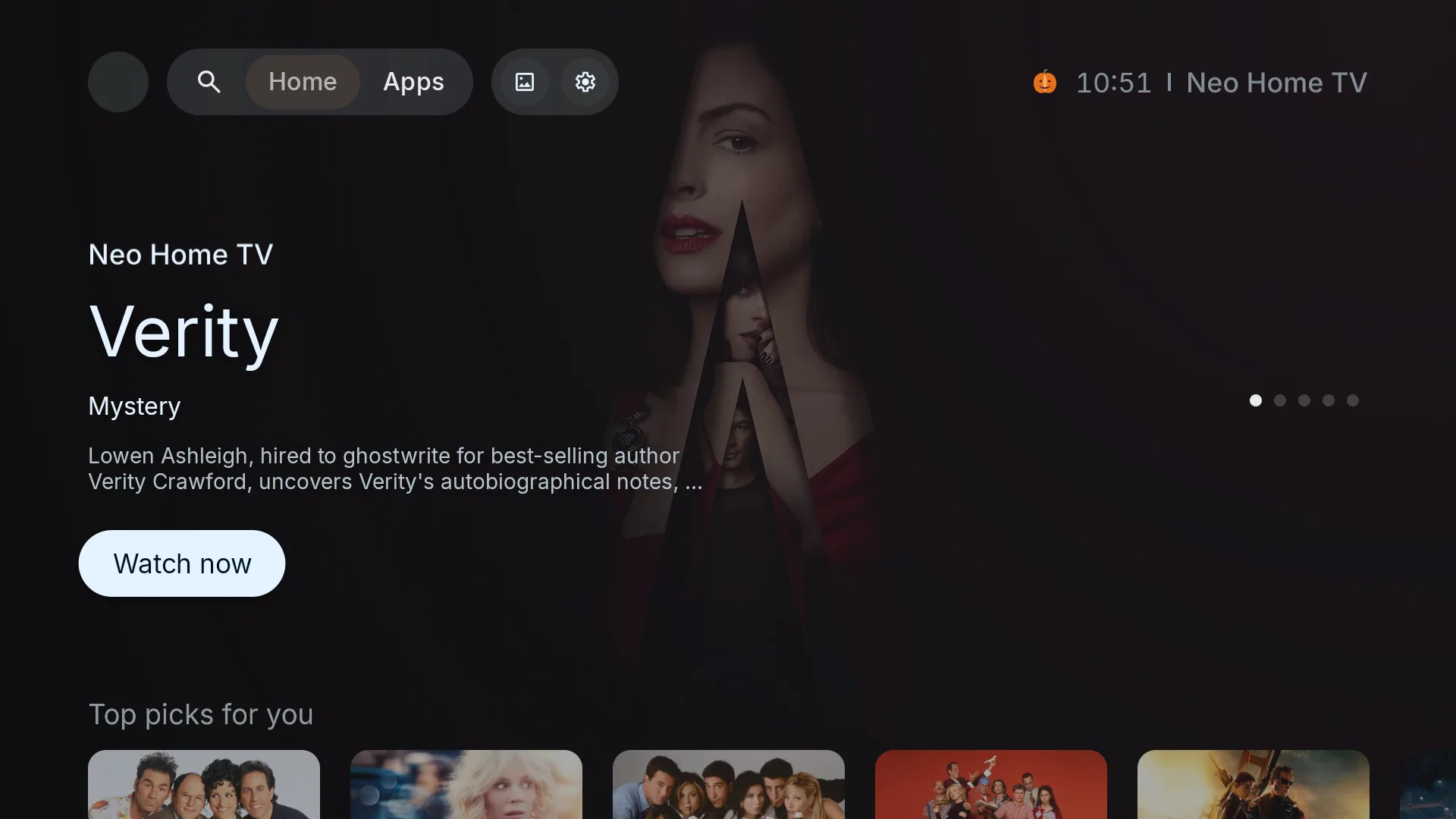
Neo Home TV replaces your home screen with one that shows what you watch, opens it in the service you prefer, and keeps out of your way. 14 days free, then pay once.
What you get
All featuresNo ads, no sponsored rows
Your home screen shows your shows and your apps. Nothing is paid to be there.
Continue watching, from every app
Shows you are halfway through appear in one row, whichever app you watch them in.
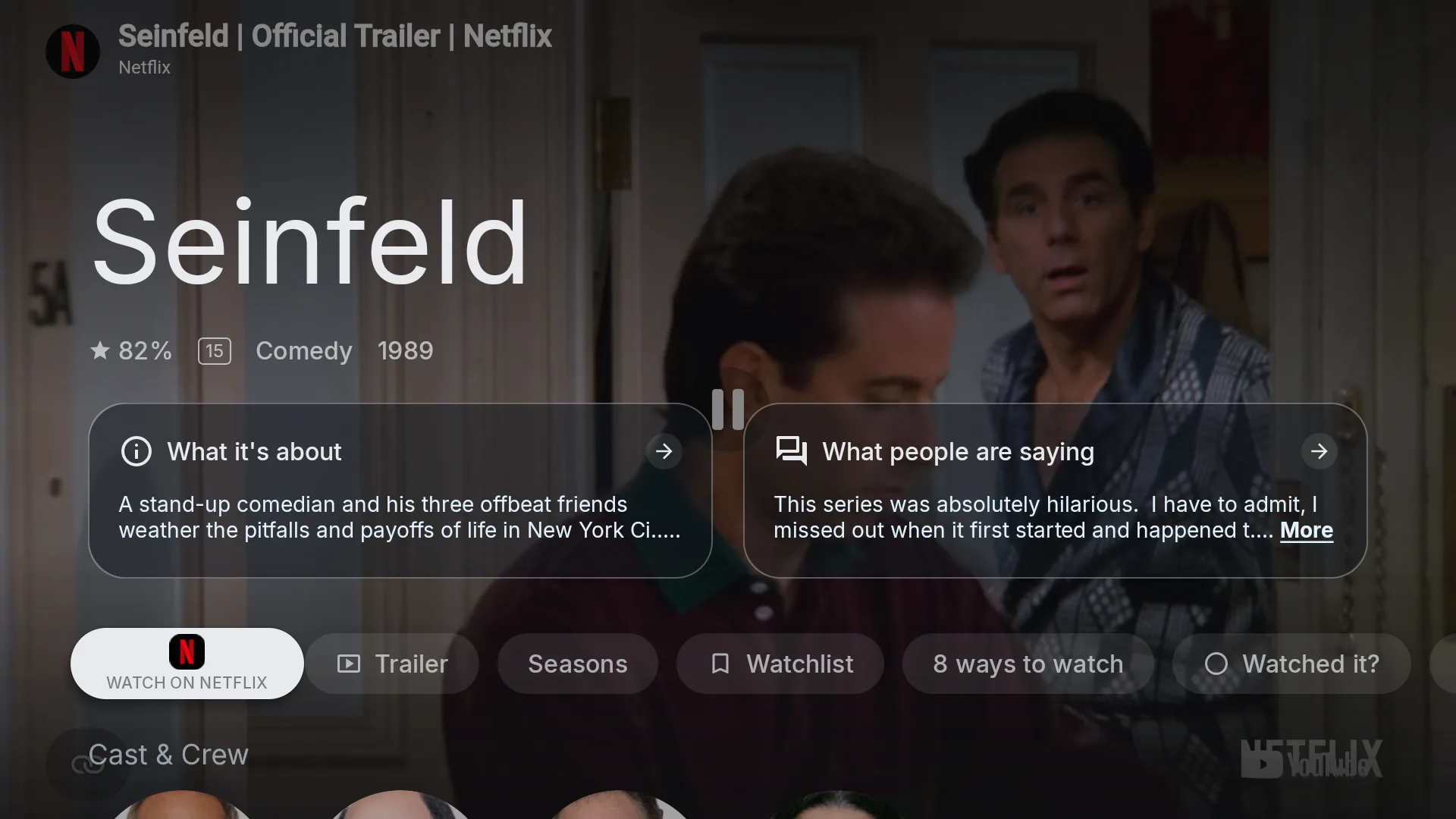
Watch now, on your terms New
Put your services in order. Watch now opens the first one that has the title, like Netflix first, then Disney+.
Ways to watch, including your player apps New
Next to the streaming services you also see Stremio, Nuvio, Plex, Jellyfin, Kodi and free services like Pluto TV and Tubi, when they are installed.
New on your services
A row of what just arrived on the services you actually have.
Because you watched
Suggestions built from what you finished, not from what someone paid to promote.
See it on your TV
Everything you watch, in one place
Continue watching from every app, your apps in your order, and title pages with a Watch now button that goes where you want it to.
Take the tour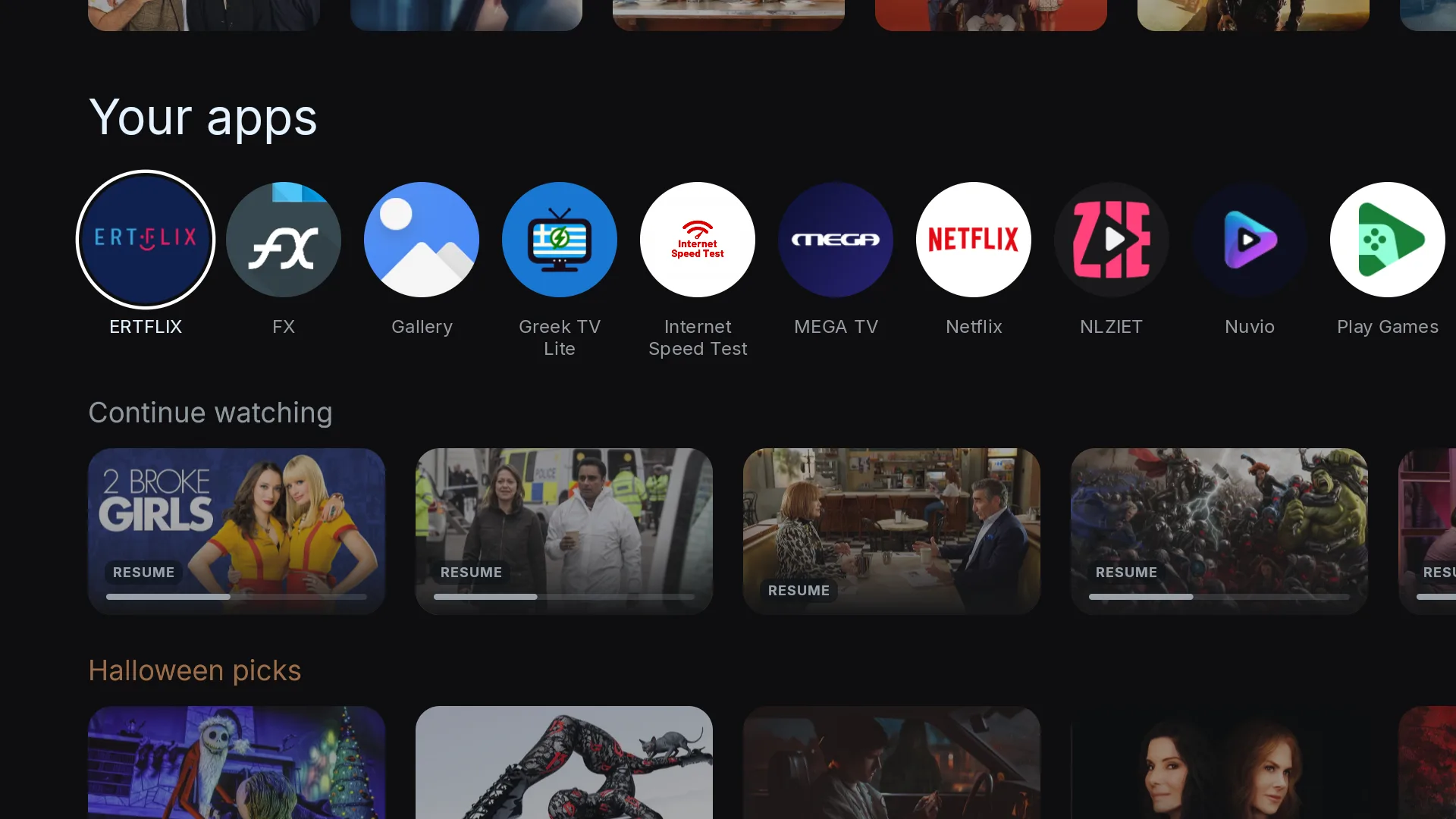
How it compares
Against the home screen that ships on Google TV devices.
| Feature | Neo Home TV | Stock home screen |
|---|---|---|
| Sponsored rows and ads | None | Yes |
| Continue watching across apps | ||
| Watch now follows your own service order | ||
| Player apps in Ways to watch (Stremio, Plex, Kodi…) | ||
| New on your services | Partial | |
| New episodes this week | ||
| Sleep timer | 15–120 min |
Try it free. Pay once if you keep it.
€7.99once, after a 14-day free trial
- Every feature, no tiers
- Up to 5 TVs in your home
- All 1.x and 2.x updates
- Watch now order and player apps
- Seasonal themes and sleep timer
- 14-day refund, no questions
No card needed for the trial. When it ends your apps keep opening; the extras lock until you buy. Prices include VAT where it applies.
Questions people ask before installing
Still stuck? Write to support@neohometv.app and a real person answers, usually within a day.
Compatibility
Which TVs does it work on?
Any Google TV or Android TV device running Android TV 12 or later: Google TV Streamer, Chromecast with Google TV, and Google TV sets from Sony, TCL, Hisense, Philips and others. It does not run on Fire TV, Roku, Samsung Tizen or LG webOS.
How do I check my Android TV version?
Open Settings, then System, then About, and look at Android TV OS version. It needs to say 12 or higher.
Install
Do I need a computer?
No. The easy install uses the free Downloader app and your remote, and takes about five minutes. A computer is only needed for the optional extras.
Will it replace my home button?
Yes, if you switch on Home button override during setup. Pressing Home then opens Neo Home TV. You can switch it off in Settings any time and your TV goes back to how it was.
Can I go back to the stock home screen?
Yes. Switch off Home button override, or uninstall Neo Home TV. Nothing about your TV is changed permanently.
Payment & refunds
What does it cost?
14 days free with everything switched on, then €7.99 once for a lifetime licence on up to 5 TVs in your home. No subscription.
What happens when the trial ends?
Your apps keep opening and the home button keeps working. The extras, like the hero, discovery rows, title pages and themes, lock until you buy.
Can I get a refund?
Yes. Ask within 14 days of buying and you get your money back, no questions asked.
Do you store my card?
No. Payments go through Stripe. We only receive your email address and the receipt.